Blog
What AI Can Actually Do for a Small Business Website
Published 2026-07-12
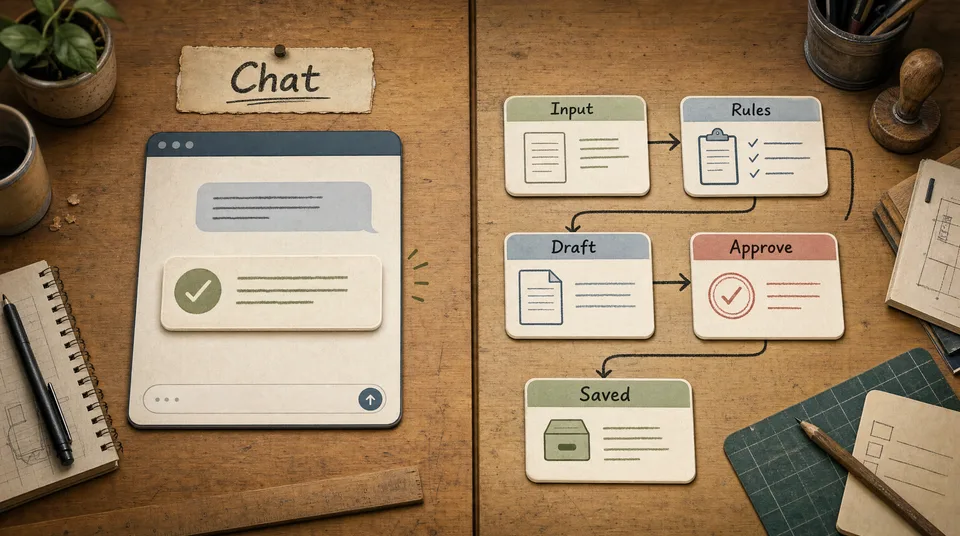
Most small business owners hear the word AI and get shown the same thing: a blank chat box.
Ask it a question. Write a caption. Summarize a page. Maybe generate a few ideas.
That is useful, but it is not the real opportunity. A small business does not need another empty box to type into. A restaurant owner already has too many boxes: WhatsApp, Instagram, Google reviews, booking forms, email, the POS, the website, the staff group chat. A spa manager has appointment requests, treatment questions, Google Business updates, therapist schedules, and slow-day offers. A real estate agent has property inquiries, viewing requests, buyer budgets, listing updates, and follow-up messages.
The useful version of AI sits inside that work.
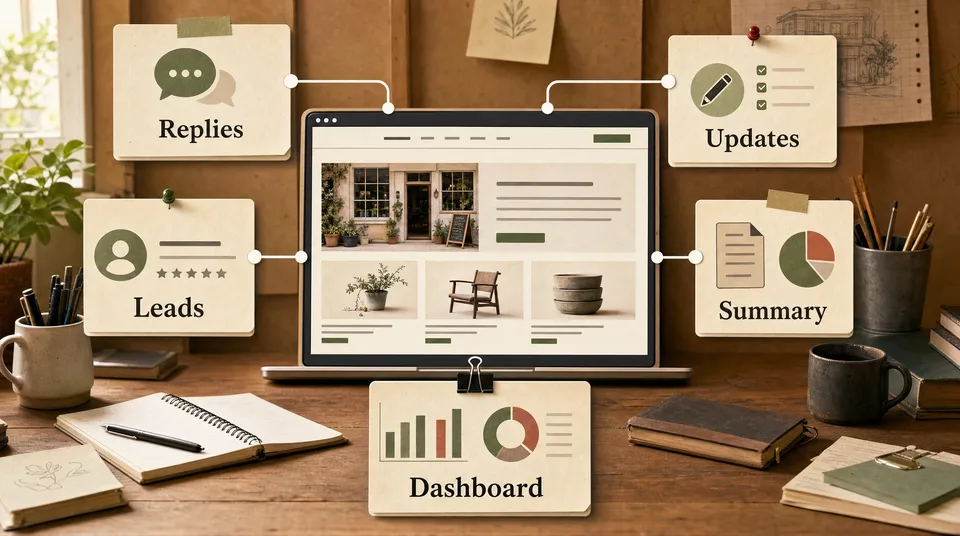
It reads the repeated inputs. It drafts the repeated outputs. It routes the work to the right person. It summarizes what happened. It gives the owner a smaller decision to make.
Not “AI writes your business.” More like: AI prepares the work, and you approve what goes out.
Here are the five website jobs where AI can actually help a small business.
Job 1: draft replies you already write every week
Every small business has a reply pile.
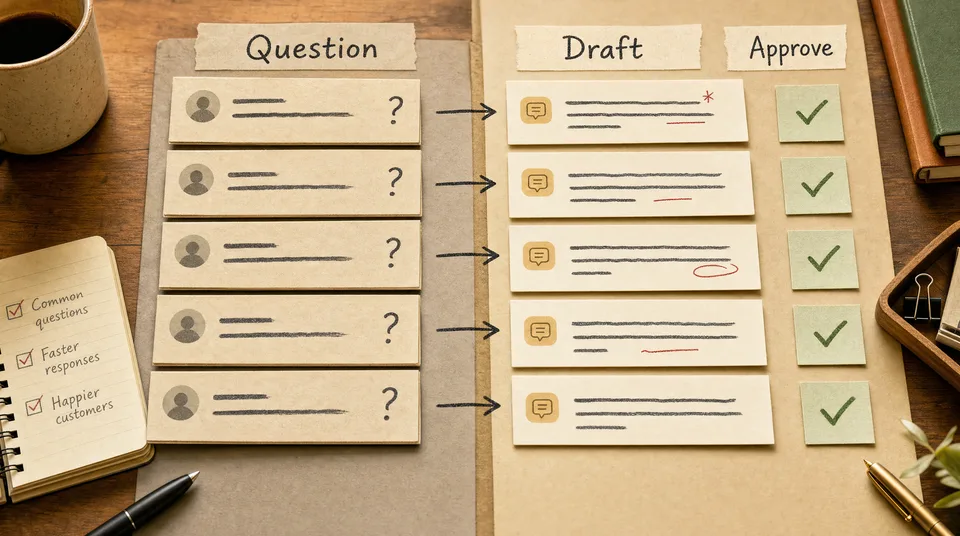
Restaurants answer “Do you have vegetarian options?” and “Can we book for eight tonight?” Spas answer “Which treatment is best for back pain?” Gyms answer “Do you offer beginner classes?” Clinics answer “How much is the first consultation?” Real estate agents answer “Is this property still available?” Cooking classes answer “Can we join if we do not eat spicy food?”
Most teams answer these manually. The owner has written the same reply 100 times, but the next message still starts from a blank screen.
An AI workflow changes the starting point.
The workflow reads the incoming message, checks a small set of approved business details, and drafts a reply in your tone. It does not send automatically. It gives the owner or staff member a good first draft.
The human still checks:
- Is the answer factually correct?
- Is the tone right?
- Is this customer asking something unusual?
- Should we add a personal line?
The time saved is not only typing time. It is the mental reset. Instead of stopping the day to write another polite paragraph from scratch, your team reviews a draft, edits one sentence, and sends.
Job 2: turn business updates into website content
Your website is usually out of date for one simple reason: updating it feels like extra work.
The restaurant has a new seasonal dish, but the menu page still shows last month’s special. The gym changes the class schedule, but the website PDF is old. The spa creates a new package, but it only appears in an Instagram story. The real estate agency uploads a new listing to a portal, but the website gets updated three days later. The clinic changes consultation hours, but Google and the website disagree.
AI helps when the website becomes the source of truth.
Start with one update:
“New lunch set available Monday to Friday: grilled chicken, papaya salad, jasmine rice, iced tea, ฿290.”
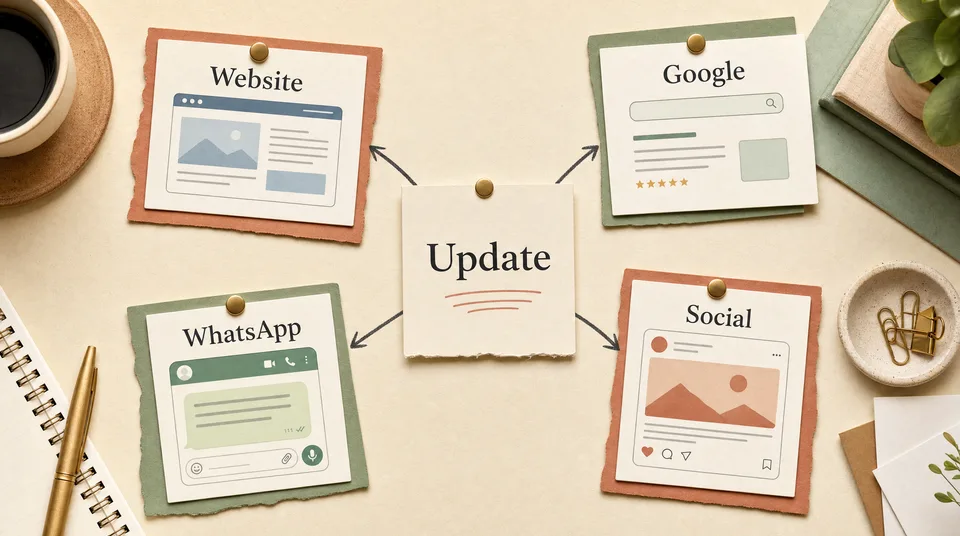
A workflow can turn that into:
- a short website menu update
- a Google Business Profile post
- a WhatsApp message to regulars
- an Instagram caption
- a staff note for the front-of-house team
The owner still approves the wording and price. The workflow handles the shape of the update for each channel.
That matters because each channel needs different language. A website update should be clear and searchable. A WhatsApp message should feel direct and warm. A Google post should include the important details quickly. An Instagram caption can be shorter and more visual.
The mistake is copy-pasting one caption everywhere. The system version keeps one source update and drafts channel-specific versions from it.
Job 3: route leads by what they actually need
Not every inquiry deserves the same response.
A gym lead who says “I want to start this week and I need help losing 10kg” is different from someone asking “How much is membership?” A real estate buyer with a matching budget and a viewing request is different from someone browsing 40% below the asking price. A spa guest asking for a couple’s package this Saturday is different from someone asking a general question about aromatherapy.
Most websites treat every form submission the same. A message lands in an inbox. Someone reads it when they can. If the team is busy, the good leads go cold beside the weak ones.
AI can help classify and route the lead.
A simple routing workflow can look at:
- which page the lead came from
- what they selected in the form
- what they wrote in the message
- whether their timing is urgent
- whether their budget or request matches the service
Then it can tag the lead:
- hot: reply now
- warm: send helpful information and follow up
- cool: add to nurture sequence
- mismatch: reply politely and redirect
Again, this does not need to be fully automatic on day one. The workflow can simply label the inquiry and draft the next reply. The owner sees the context before responding.
For a small team, that is enough to change the day. The important inquiries stop hiding in the pile.
Job 4: summarize activity so the owner can see the business
Most owners do not need another analytics dashboard. They need a useful summary.
What happened this week?
Which pages created inquiries?
Which services got attention but no bookings?
Which Google reviews need replies?
Which leads are still waiting?
Which update brought people back?
A practical AI workflow can pull together a weekly business note:
“This week the spa received 18 booking inquiries, up from 12 last week. The couples package page created 7 inquiries, but 4 visitors abandoned the booking form after choosing a time. Three Google reviews mention slow confirmation replies. The best next fix is simplifying the booking form and preparing two approved reply drafts for weekend slots.”
That is more useful than a chart the owner never opens.
For restaurants, the summary might focus on menu page scans, reservation clicks, and review themes. For gyms, trial requests and program page visits. For real estate, property inquiries and budget fit. For clinics, consultation page exits and unanswered questions. For cooking classes, source countries, booking dates, and pre-trip search terms.
The workflow should not pretend to be a business strategist. It should compress repeated signals into a short note the owner can act on.
Job 5: keep simple dashboards around the work that repeats
Once you know what matters, the dashboard can be simple.
Most small businesses should not start with 40 metrics. Start with five:
| Metric | Why it matters |
|---|---|
| Key page visits | Shows where attention is going |
| CTA clicks | Shows whether people take the next step |
| Inquiries | Shows demand |
| Qualified inquiries | Shows lead quality |
| Follow-up status | Shows what still needs action |
AI helps by turning raw events into plain labels.
Instead of a spreadsheet full of form entries, you get:
- 6 hot restaurant booking leads waiting for confirmation
- 4 spa package inquiries asking about weekend availability
- 3 gym trial leads who mentioned weight loss
- 2 real estate buyers with matching budget and timeline
- 5 clinic consultation questions about pricing
The dashboard becomes less about “data” and more about “what should we do next?”
That is the right level for most owners.
What to set up first
Do not start by trying to automate the whole business.
Start with one repeated task that already happens every week.
Use this checklist:
- Pick one repeated task: review replies, booking questions, lead sorting, weekly summary, or content updates.
- Collect 20 real examples of that task.
- Write the rules you already follow in plain English.
- Decide what AI is allowed to draft.
- Decide what a human must approve.
- Run the workflow manually for one week.
- Save the drafts that worked and fix the ones that did not.
- Only then connect more channels.
The first workflow should feel boring. That is a good sign. Boring means it is tied to real work.
What AI should not do on its own
Small businesses should be careful with fully automatic customer-facing AI.
Do not let AI:
- invent prices
- promise availability
- approve refunds
- give medical, legal, or financial advice
- send sensitive replies without review
- publish major business updates without approval
The helpful version is draft, classify, summarize, and suggest.
The owner or trained staff member approves anything that affects a customer, a price, a booking, or a public promise.
That boundary makes the system practical. It saves time without handing the business to a tool that does not understand the consequences.
What this looks like in practice
Imagine a normal Tuesday.
A restaurant receives two Google reviews, one menu question, and three booking messages. The system drafts review replies, answers the menu question from the live menu, and tags one booking as urgent because it is for tonight.
A spa receives four treatment questions. The system drafts replies based on approved treatment descriptions and flags one as a high-value couple’s package inquiry.
A gym gets three trial requests. The system sorts them by goal, matches each to the right trainer, and drafts a short confirmation message.
A real estate agency receives seven property inquiries. The system labels two as hot because budget, timeline, and property fit all match.
A cooking class gets a question from a family arriving next month. The system drafts a reply about dietary options and adds them to a pre-trip follow-up list.
None of this is science fiction. It is just connected admin work.
The real point
AI is not useful because it is impressive. It is useful when it reduces the repeated work between interest and action.
Your website brings the customer in. The workflow helps with what happens next: reply, route, update, summarize, follow up.
That is where small businesses feel the difference.
If you want the website and workflow built around the way your business already works, start with AI systems from Art of Web.