Blog
What Is Anthropic? And Which Claude Should You Actually Use?
Published 2026-07-06

If you have spent five minutes reading about AI lately, you have probably tripped over a pile of similar-sounding names. Anthropic. Claude. Claude.ai. Claude Code. Claude Desktop. Cowork.
They sound like five different products from five different companies. They are not. It is one company, one assistant, and a handful of different doors into the same thing. Once you see the map, it is genuinely simple.
Here it is, in plain English.
First, the company: Anthropic
Anthropic is the company. It is an AI research company founded in 2021, and its whole reason for existing is to build AI that is safe, steerable, and actually useful — not flashy, not reckless. Think of Anthropic the way you think of the company behind any tool you use: you rarely think about it directly, you just use what it makes.
What it makes is Claude.
Claude is the AI. Everything else is a door to it.
Claude is the assistant — the actual intelligence you talk to. When you ask a question, write an email, summarise a document, or get help with a problem, you are talking to Claude.
Everything else on that confusing list is simply a different way to reach Claude. Same assistant, different front door, built for a different kind of work. There are three doors that matter to a beginner.
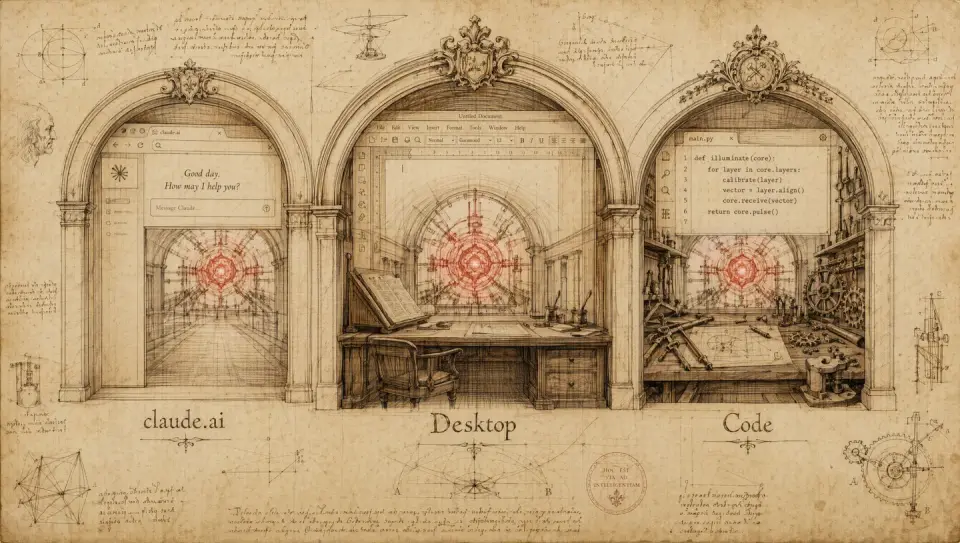
Door 1 — Claude.ai (the website and the phone app)
This is the front door, and it is where almost everyone should start.
Claude.ai is the website. You open a browser, go to claude.ai, sign in, and start typing. There is also a Claude app for your phone that does the same thing. Nothing to install on a computer, nothing technical.
Use it to ask questions, draft and rewrite text, brainstorm, translate, plan a trip, explain something complicated, or upload a file and ask about it. If you have used any chat-style AI before, this is the familiar version.
Use Claude.ai when: you want to ask, write, or think — quick tasks, on your laptop or your phone. This covers 90% of what most people need.
Door 2 — Claude Desktop (Claude on your own computer)
Claude Desktop is an app you install on your computer — Mac, Windows, Linux, or ChromeOS. At first glance it looks like the website, but it can do something the browser cannot: it works directly with the files and apps on your own machine.
The desktop app is organised into three tabs, and this is where those last two scary names finally make sense:
- Chat — the same conversation you get on the website, just in an app.
- Cowork — you hand Claude a whole task, not a single question, and it works through the steps on your files and apps to hand you a finished result. Organising a messy folder, preparing a document, pulling data out of a stack of PDFs — the kind of repetitive work you would normally grind through yourself. It is built for non-technical people.
- Code — this is Claude Code, living inside the desktop app (more on that below).
Use Claude Desktop when: you want Claude to reach into your computer — your files, your folders, your apps — or to go run a longer, multi-step job while you do something else.
Door 3 — Claude Code (for building and automating)
Claude Code is the most powerful door, and the one most beginners can safely ignore — until the day they cannot.
Claude Code is an agent built for making things. It can read an entire project, write and edit files, and run commands — the raw material of building a website, an app, a script, or an automation. It lives in a few places: a terminal (the text-command window developers use), inside the Claude Desktop Code tab, on the web at claude.ai/code, and inside popular code editors. It can even run jobs on Anthropic’s own cloud that keep going after you close your laptop.
Use Claude Code when: you (or someone on your team) are building or automating something technical — real software, data pipelines, whole codebases.
If that is not you today, that is completely fine. Just know the door exists for when your business needs it.
A quick note on “which Claude”
Now and then you will see Claude offered in a few flavours with names like Haiku, Sonnet, and Opus. That is not more confusion — it is just a speed-versus-depth choice:
- Haiku — the fast, lightweight one, for quick and simple work.
- Sonnet — the balanced everyday one.
- Opus — the most powerful one, for genuinely hard problems.
For most people, the default the app picks for you is exactly right. You do not need to think about this on day one.
What does it cost?
There is a Free tier — go to claude.ai, sign up with an email, and start. It is the honest way to try everything above.
Beyond that there is a Pro plan for individuals (around US$20/month at the time of writing) and a Max plan for heavier use, plus Team and Enterprise for organisations. The nice part: a single Pro or Max subscription covers the web, the desktop app, the phone app, and Claude Code — one plan, every door. Check claude.com/pricing for current numbers, since they do change.
So — which one should you use?
Here is the whole thing on one page:
| You want to… | Use |
|---|---|
| Ask a question, write, brainstorm, summarise | Claude.ai (web or phone) |
| Let Claude work with the files and apps on your computer | Claude Desktop |
| Hand off a whole multi-step task and get a finished result | Claude Desktop → Cowork |
| Build or automate something technical | Claude Code |
If you remember nothing else: start at claude.ai. Move to the desktop app the day you want Claude touching your own files. Reach for Claude Code the day you are building. That is the entire ladder.
The part that actually matters for your business

Here is the trap almost everyone falls into: they open a browser tab, ask Claude a question, copy the answer, and close the tab. Useful — but it is AI as a smarter Google. A place you visit.
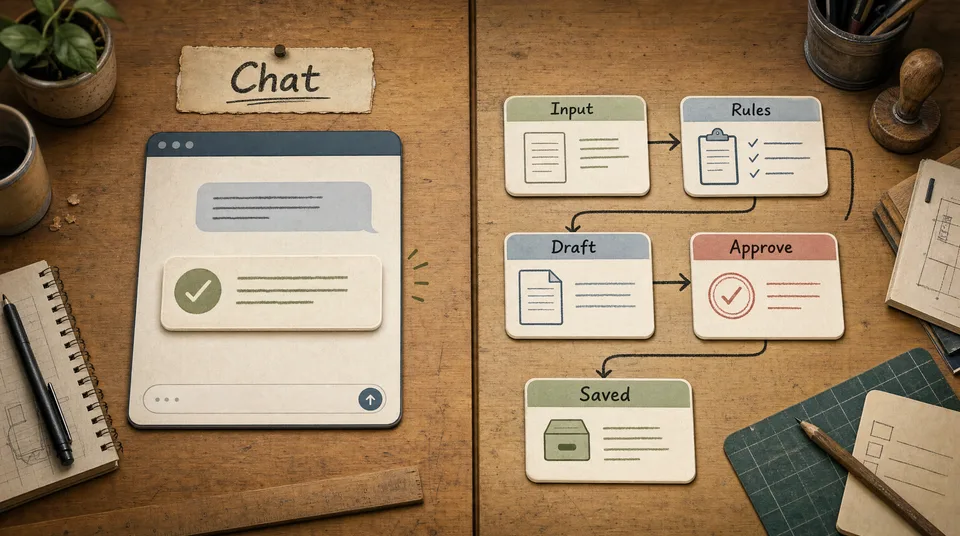
The real shift is not which app you open. It is moving the intelligence inside the work — the review that needs a reply, the lead that needs sorting, the report you rebuild every Monday, the folder nobody has time to clean up. That is what the desktop app, Cowork, and Claude Code are quietly pointing at: not a chatbot you visit, but a layer that runs where your business actually happens.
That last step — turning “I asked an AI once” into “my business runs on a system that reads, drafts, and routes on its own” — is exactly the work we do at Art of Web. You do not need to become technical to get there. You just need someone to build the system around how your business already works.
Start with the free tab today. When you are ready to put it to work, you know where to find us.