Blog
RestaurantsTurn Your Menu Into a Sales Engine (Not a PDF Nobody Reads)
Published 2025-12-05
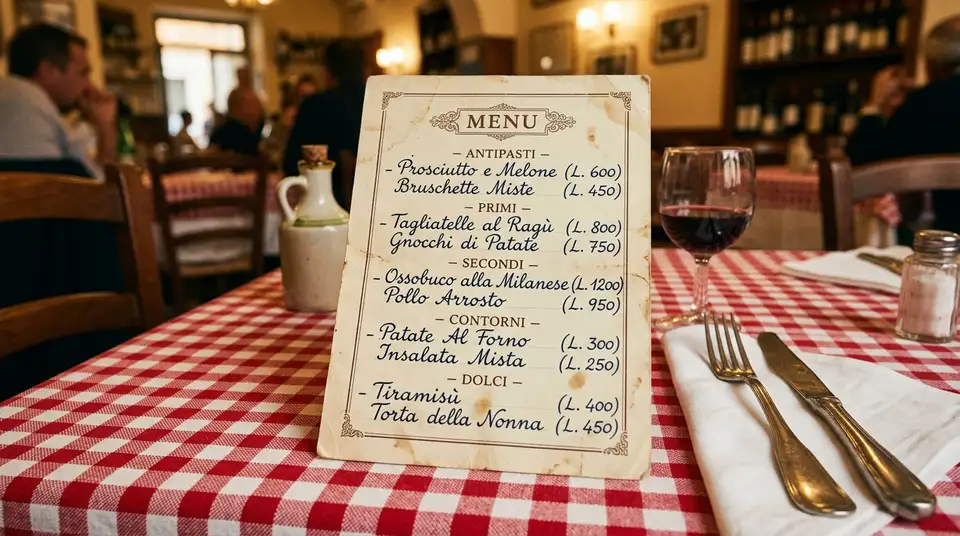
Pull out your phone right now. Go to your restaurant’s website. Tap the menu.
What happened? Did a crisp, beautiful page load with your dishes, prices, and photos? Or did your phone try to download a 4MB PDF that you have to pinch and zoom to read?
If it is the second one, you are not alone. And you are leaving money on the table — literally.
Your menu page is your most visited page
Here is something most restaurant owners do not realize: your menu page gets roughly 3x more traffic than any other page on your website. More than your homepage. More than your about page. More than your contact page.
This makes perfect sense when you think about it. People are not browsing your website for fun. They have one question: “What do you serve, and do I want to eat it tonight?”
86% of customers check the menu online before deciding to visit a restaurant. That is from TouchBistro’s 2024 industry report. Not “before visiting your website” — before visiting your restaurant. The menu is the decision point.
And you uploaded a blurry scan from 2019.
The PDF problem is bigger than you think
A PDF menu seems reasonable. You already have the file. You uploaded it to your website. Done. But here is what that PDF is actually costing you.
Google cannot read it
This is the big one. When someone types “Italian restaurant near me” or “best pasta in [your city],” Google sends its crawler to read every restaurant website in the area. It looks at the text on the page, the headings, the structure — and it decides who shows up in search results.
A PDF menu has zero SEO value. Google cannot reliably read the text inside a PDF, especially a scanned image. So all those dish names, all those ingredients, all those descriptions — invisible to search engines.
Your competitor down the street has “handmade pappardelle with slow-braised wild boar ragu” as actual text on their menu page. When someone searches for “pappardelle near me,” they show up. You do not.
Mobile is a nightmare
Over 70% of restaurant searches happen on a phone. A PDF on a phone means pinching, zooming, scrolling sideways, losing your place. The text is tiny. The formatting breaks. The whole experience says “we did not think about you.”
People do not fight with your menu. They just go somewhere else.
You cannot update it easily
Changing a price on a PDF means opening the original file (if you can find it), editing it, exporting a new PDF, uploading it to your website, and hoping the cache clears. Most restaurant owners just… do not bother. So the menu online is three price increases behind the actual menu.
A customer shows up expecting the price they saw online, sees a different price on the table menu, and now you have a trust problem on top of everything else.
What a real menu page looks like
The fix is not complicated. It is a structured web page that does what your best server does: guide the customer to a decision they feel good about.
Organized by section, not by paragraph
Appetizers. Mains. Pasta. Desserts. Drinks. Each section has a clear heading. A customer looking for dessert does not have to scroll through 40 entrees to find it.
This seems obvious, but look at most restaurant websites. The menu is either a wall of text, a PDF, or a single photo of the chalkboard by the bar.
Every dish tells a micro-story
“Risotto - ฿420” tells me nothing. I do not know what kind of risotto. I do not know if it comes with anything. I do not know why I should order it instead of the pasta.
“Mushroom Risotto — Arborio rice, porcini and chanterelle mushrooms, aged parmesan, truffle oil — ฿420” tells me everything. I can taste it before I order it. I know exactly what I am getting.
Good descriptions are not flowery. They are specific. Name the ingredients. Mention the technique if it matters (slow-braised, wood-fired, house-made). Give enough detail that the customer can picture the plate.
Dietary information is visible, not hidden
Vegetarian, vegan, gluten-free, contains nuts. Small icons or labels next to each dish. Do not make people with dietary needs hunt for this information or call you to ask.
This is not just a courtesy — it is a conversion tool. A table of four will not come if one person cannot eat anything. Make it obvious that you have options for everyone, and you book the whole table.
Photos of your actual food
Not stock photos. Not photos from 2017. Real, current photos of your dishes as they actually look when they arrive at the table.
You do not need a professional photographer for every dish. A well-lit photo taken near a window on a clean white plate is enough. Pick your top 8-10 dishes and photograph those. You can always add more later.
Photos increase menu item orders by up to 30%. People eat with their eyes first, and a photo removes the uncertainty of “what does this actually look like?”
Prices are visible
This should not need to be said, but: put your prices on the menu. “Market price” for your fish special is fine. Hiding all your prices because you think it looks more upscale is not.
People want to know what dinner will cost. If they cannot figure that out from your website, they will go to a restaurant where they can.
The secret weapon: schema markup
This is the one technical thing worth understanding. Schema markup is a way to tag your menu so that Google knows exactly what each item is — the name, the description, the price, dietary info.
When done right, Google can show your individual dishes directly in search results. Someone searches for “truffle risotto downtown” and your dish shows up with the name, price, and a star rating, right there in Google.
This is not a hack. It is the structured data format that Google explicitly supports for restaurants. Your web developer can implement it in a few hours, and it makes every dish on your menu a potential entry point from search.
Think about that. You have 40 items on your menu. Each one becomes a door that leads to your restaurant. Without schema markup, you have one door: your homepage.
The AI layer
A structured menu page is the data substrate. AI is the analyst that reads what your kitchen is too busy to read.
Margin-killer detection. Once your menu is structured (descriptions, ingredients, prices, dietary flags) and connected to your POS, a workflow runs nightly that flags two things: dishes whose food cost has crept above target margin, and dishes that sell well but eat a disproportionate share of kitchen prep time. You get a single Monday-morning summary — “the duck confit is now 38% food cost, the pappardelle takes 14 minutes prep but sells for ฿320, the bruschetta margin is fine” — and you decide whether to re-price, redesign, or remove.
Menu reordering for the page. The same workflow watches what your customers actually click on, scroll past, and order. It suggests where to position dishes to push your stars: the high-margin items that need a second of attention, the seasonal specials worth a callout, the underperformers worth burying. You see the suggested page layout each week. You approve or adjust. Your menu page updates without anyone touching code.
The structured menu is the asset. AI is what lets a small team run it like a category manager.
Your menu page is your best employee
Here is how I want you to think about this. Your menu page is a salesperson. And right now, you are comparing two candidates.
Candidate A: The PDF
- Cannot answer questions
- Looks terrible on phones
- Invisible to Google
- Cannot be updated without a fight
- Turns away customers with accessibility needs
- Works the same at 2pm and 2am (badly)
Candidate B: A structured web page
- Answers every question a customer has
- Looks perfect on any device
- Gets found by Google for dozens of search terms
- Updated in minutes when prices or dishes change
- Welcoming to customers with dietary restrictions
- Handles 1,000 customers at the same time without breaking a sweat
- Works when you are sleeping, on vacation, or during the lunch rush
Candidate B never calls in sick. Never has a bad day. Never forgets to mention the daily special. And it costs less per year than one week of a server’s wages.
The system connection
Your menu page does not exist in isolation. It is the centerpiece of your entire digital system.
Your Instagram posts should drive traffic to the menu page. Your Google Business listing should link to it. Your QR codes on every table should point to it.
Every path leads to the menu, because the menu is where decisions happen.
And from the menu page, the next step is clear: book a table, order online, or save the restaurant for later. The menu is not the end of the journey — it is the middle. It is where “I’m curious” becomes “I’m coming tonight.”
How to fix this in the next 30 days
You do not need to do everything at once. Here is the sequence that gets you results fastest.
Week 1: Audit what you have
Pull up your menu on your phone. Time how long it takes to load. Try to find a specific dish. Check if the prices are current. Ask a friend who has never been to your restaurant to look at the menu and tell you what they would order — and what confused them.
Be honest about what you find.
Week 2: Write your dish descriptions
Open a document. List every dish. For each one, write 10-15 words that describe what is on the plate. Name the key ingredients, the cooking method, and anything that makes it special. This is the hardest part, and you can do it in a couple of hours because you already know your food better than anyone.
Week 3: Get it built
A web developer can build a structured menu page in 1-2 days. It is not a complex project. What makes it valuable is the content — your descriptions, your sections, your photos — not the code.
If you already have a website, this is usually adding one well-built page. If you do not have a website, the menu page is the single most important page to build first.
Week 4: Connect it to everything
Update your Google Business listing to link directly to the menu page. Update your Instagram bio link. Print new QR codes for the tables that point to your website, not a third-party platform. Tell your staff about the new menu page so they can mention it when customers ask.
The bottom line
Your menu is not a document to upload. It is a sales tool to build. It is the page that 86% of your potential customers visit before they decide to visit you.
Every blurry PDF, every outdated price, every missing description is a customer who went somewhere else. Not because your food is not good enough — but because they could not see that it was.
Fix the menu page. Everything else gets easier after that.